
Manual transcription takes time, focus, and lots of rewinding. Whether you’re recording interviews, meetings, or podcasts, there’s now a faster way to get the job done. AI transcription tools can turn hours of audio into clean, readable text in just a few clicks.
Let’s explore 10 of the best free AI transcription tools available today. We’ll cover which tools are best for different industries and use cases, what each one offers, and how to choose the right one for your needs.
Why AI Transcription Tools Are Better Than Typing
Typing out conversations or interviews can be slow, repetitive, and prone to human error. AI transcription tools solve this by automatically converting speech to text in real time or from uploaded audio files.
These tools use machine learning to detect speakers, add punctuation, and even handle different accents. Most offer time-saving features like automatic summaries, export options, and editing tools.
Unlike manual typing, AI transcription lets you focus on reviewing and refining the transcript instead of building it from scratch.
For anyone handling large volumes of audio such as business meetings, legal recordings, or research interviews. AI transcription provides a faster and often more accurate way to get usable text.
How to Choose the Right AI Transcription Tool
Choosing the right AI transcription tool depends on what you need it for and how you plan to use it. Not every tool works the same way, and some are better suited for specific tasks or industries.
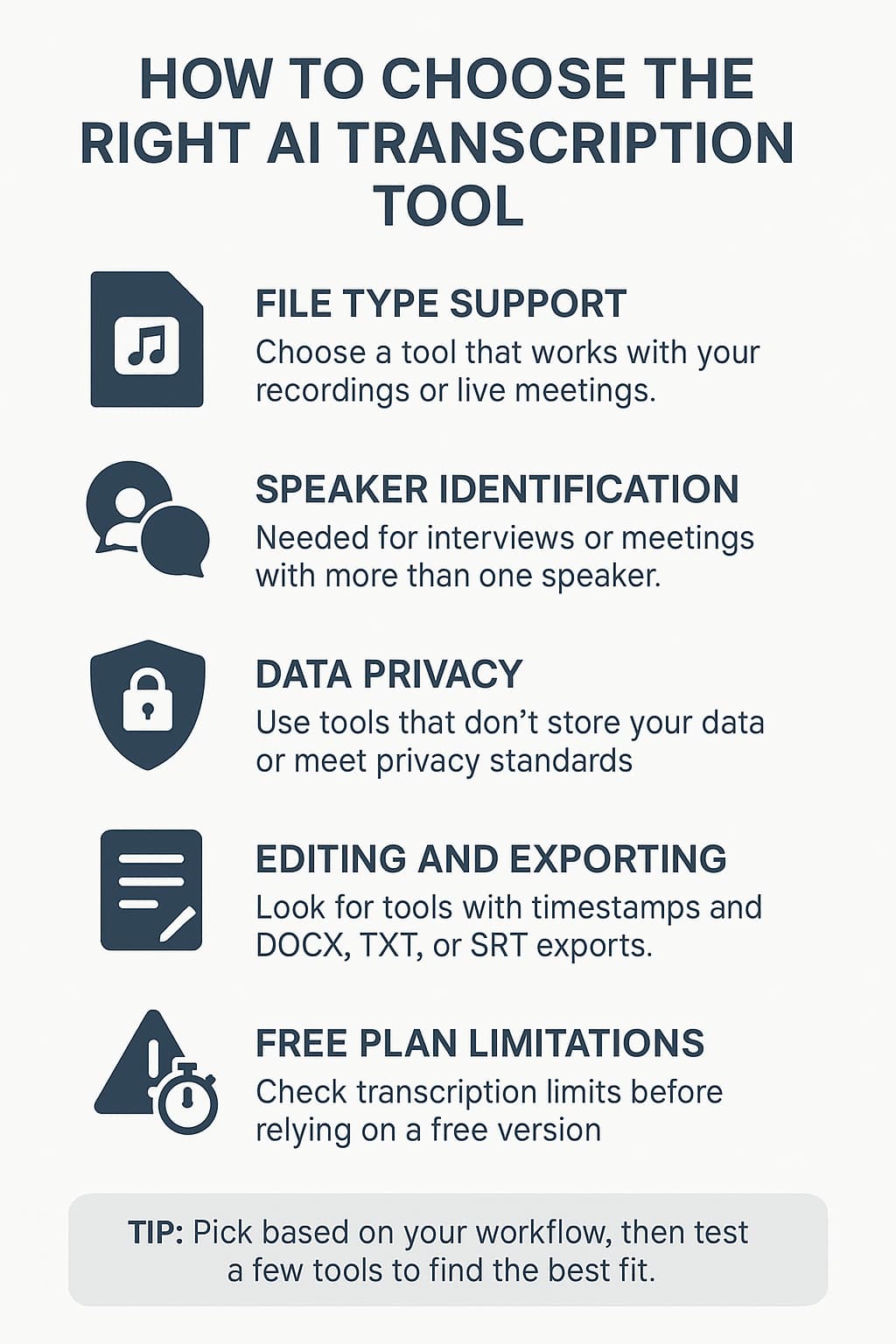
Here’s what to consider when making your choice:
File Upload vs. Live Capture: Some tools only accept pre-recorded audio or video files, while others offer live transcription during meetings. If you’re uploading recordings, make sure the tool supports your file type.
Speaker Identification: If you’re dealing with multi-speaker conversations, choose a tool that can distinguish between different voices accurately.
Privacy and Data Security: For sensitive content, check if the tool runs locally or meets compliance standards like SOC 2. Some browser-based tools like Tomedes don’t store your data at all.
Editing and Exporting: Look for built-in text editors, timestamp options, and flexible export formats like TXT, DOCX, or SRT if you plan to publish or repurpose the transcripts.
Limitations of Free Plans: Most tools come with a cap on transcription minutes or require a paid upgrade for advanced features. Make sure to review what’s included before relying on one.
The best tool is the one that fits your workflow, supports your file needs, and doesn’t compromise your data. Start by narrowing your priorities, then test a few options to see which delivers the cleanest, most usable transcripts for your work.
10 AI Transcription Tools That Are Free to Use

With so many transcription tools available today, it can be hard to know where to begin.
That’s why we’ve put together this curated list of AI transcription platforms that offer free plans or trials worth trying.
Whether you need something simple for occasional use or a more advanced tool for business needs, this list covers a wide range of options.
We’ve included tools suited for freelancers, remote teams, legal professionals, educators, and content creators. Each one is reviewed based on what it does well, its limitations, and who it’s best for, so you can quickly find the right fit without wasting time.
Verbit
Verbit is an enterprise-level AI transcription platform built for professionals in education, legal, and media industries.
It combines speech recognition technology with human editing to deliver high-accuracy transcripts. Businesses that deal with large volumes of audio or require compliance-ready documentation will find Verbit especially useful.
- Enterprise-grade accuracy with human review
- Compliant with accessibility and privacy standards
- Integrates with platforms like Zoom, Blackboard, and Canvas
- Supports multiple audio formats and industry-specific use cases
- Includes collaboration features for teams
If your work requires strict accuracy or compliance, Verbit is worth trying, particularly during its trial period.
Tomedes AI Transcription Tool
Tomedes offers a free AI transcription tool built for users who prioritize privacy, simplicity, and accessibility.
Designed for both small business users and individuals, it works entirely in the browser without requiring signups, making it a practical choice for quick, secure transcription tasks.
- 100 percent free with no registration required
- Supports audio and video file uploads in common formats
- Runs securely in-browser without storing user data
- Allows editing of transcribed text directly on the page
- Offers multiple language support for global users
If you’re looking for a fast, secure, and easy way to transcribe without jumping through hoops, Tomedes AI Transcription Tool is a great place to start.
Rev AI
Rev AI provides AI-powered speech-to-text services that are geared toward both business teams and developers.
It’s ideal for companies that need to integrate transcription into their apps or workflows using an API, and it’s also useful for internal use cases like meeting transcription or compliance documentation.
- Offers API access for custom integrations
- High transcription accuracy for English audio
- Supports audio and video file uploads
- Real-time and asynchronous transcription options
- Secure cloud processing with GDPR compliance
If you’re building an app or need transcription that fits into an automated workflow, Rev AI is worth testing as part of your stack.
Otter.ai
Otter.ai is a cloud-based transcription platform built for busy professionals and teams who need to capture meeting content and conversations. It’s used widely across business, education, and media industries, offering fast and searchable transcripts with collaboration in mind.
- Speaker identification and auto-summarization
- 300 free minutes per month on the Basic plan
- Live transcription for Zoom, Google Meet, and Microsoft Teams
- Keyword search and highlight functions
- Cloud sync across web and mobile apps
If you need to keep track of your meetings or create searchable notes on the go, Otter.ai is worth exploring as part of your workflow.
Whisper by OpenAI
Whisper is an open-source AI transcription model developed by OpenAI. It’s designed for users who prefer running transcription locally on their machines without relying on cloud-based services. This makes it a strong choice for those handling sensitive or private recordings.
- Can be run entirely offline for maximum privacy
- Supports multiple languages and accents
- Available as a free open-source package
- Works with audio and video input
- Requires some technical setup to use effectively
If you’re comfortable with basic coding or working in a developer environment, Whisper offers one of the most private transcription options available today.
Descript
Descript is a multi-purpose audio and video editing platform that includes powerful AI transcription features. It’s especially useful for content creators, marketers, and teams that need to turn spoken content into publishable text or media.
- Automatic transcription with in-line text editing
- Screen recording and audio capture tools included
- Speaker labeling and filler word removal
- Video editing based on the transcript
- Limited transcription on the free plan (up to 1 hour/month)
If you’re a podcaster or editor who wants more than just transcription, Descript is a strong option to explore.
Tactiq
Tactiq is a browser extension that captures live meeting transcripts from platforms like Google Meet, Zoom, and Microsoft Teams. Designed for remote teams and professionals, it helps users instantly save and review conversations without disrupting the flow of the meeting.
It’s useful for creating searchable records of discussions, capturing key points, and following up on action items.
- Works directly within video meeting platforms
- Offers real-time transcription with speaker labels
- Saves transcripts to Google Drive or Notion
- Allows highlights and comments during meetings
- Free plan with limited transcription storage
If you rely on virtual meetings and need searchable, shareable notes, Tactiq is a lightweight solution worth trying.
Veed.io
Veed.io is a browser-based video editing platform that includes automatic transcription as part of its free tier. It’s ideal for content creators who need to generate subtitles, captions, or transcripts for videos without switching tools. The platform caters to both personal and business users, especially in marketing and social media.
- Automatic transcription for uploaded video content
- Subtitle generation and auto-captioning features
- Built-in video editing tools for trimming and text overlays
- Supports multiple export formats including SRT and MP4
- No software installation required
Try Veed.io if you want a tool that combines transcription and video editing in one place. It works well for quick content repurposing and social media publishing.
Notta
Notta is a web and mobile-based AI transcription tool that caters to both individuals and teams who need fast, searchable transcriptions. It’s a good fit for business meetings, classroom lectures, or anyone who prefers an app-style interface with cloud access.
- Provides 120 minutes of free transcription per month
- Syncs audio across devices for easy playback and editing
- Exports transcripts to TXT, DOCX, PDF, and SRT formats
- Includes voice memos, note tagging, and calendar integration
- Supports multiple languages for international users
If you want a cross-device tool for organizing your spoken content, Notta can help you stay productive across work and study settings.
Sonix
Sonix is a multilingual AI transcription platform built for teams that work with global content. It supports a wide range of languages and accents, making it useful for businesses, researchers, and media professionals working with international audio or video materials.
The platform combines speed with reasonably accurate results and offers browser-based tools for transcript editing and collaboration.
- Supports over 40 languages and dialects
- Provides in-browser transcript editor with timestamps
- Allows export in multiple formats including SRT and DOCX
- Speaker labeling and noise reduction features
- Free trial with limited minutes
If your content spans multiple languages or markets, Sonix is worth testing for its international transcription support.
Quick Comparison Table
If you’re still weighing your options, this comparison table can help you quickly see how each tool stacks up. It highlights what each one offers for free, their standout strengths, and the kinds of users they’re best suited for. Use it as a shortcut to narrow your list and find the tool that fits your needs without having to try every single one.
| Tool | Free Limit | Standout Feature | Best For |
|---|---|---|---|
| Verbit | Trial only | Accuracy + compliance | Legal & enterprise |
| Tomedes | 100% free | Private + browser-based UX | SMBs & Freelancers |
| Rev AI | Trial-based API | Developer access | SaaS & tech teams |
| Otter | 300 mins/mo | Smart summaries | Meetings & lectures |
| Whisper | Open source | Local use | Privacy-focused users |
| Descript | 1hr free/month | Text-based editing | Podcasters |
| Tactiq | Free extension | Google Meet integration | Remote teams |
| Veed.io | Watermarked subs | Auto-subtitling | Video creators |
| Notta | 120 mins/mo | Sync + export | Students & note-takers |
| Sonix | Free trial | Multilingual transcription | International teams |
Frequently Asked Questions
Can these tools handle different accents?
Yes, most AI transcription tools in this list can handle different accents with reasonable accuracy. Tools like Whisper and Sonix are particularly good at supporting multiple accents and languages thanks to their extensive training data. However, accuracy may still vary depending on audio quality, background noise, and how strong the accent is.
Are they accurate enough for business use?
AI transcription tools can be accurate enough for business use, especially for tasks like meetings, interviews, and internal documentation. While tools like Verbit and Rev AI offer higher accuracy for formal or legal purposes, others like Tomedes or Otter provide reliable results for day-to-day use with clear audio.
Can I edit transcripts?
Yes, most AI transcription tools let you edit the transcript directly in the browser or app. This allows you to correct any errors, remove filler words, or reformat the content before exporting it.
Are browser-based tools secure?
Browser-based transcription tools can be secure, but it depends on how they handle your data. Some tools process everything locally in your browser, meaning your files never leave your device. Others use cloud-based processing, which may involve storing your data temporarily on external servers. If you’re working with sensitive material, choose tools that clearly state they don’t store data or that comply with data protection standards like SOC 2 or GDPR.
Conclusion
AI transcription tools have made it easier than ever to convert spoken content into text. Whether you’re managing meetings, creating content, or documenting interviews, there’s a tool that can match your workflow and privacy needs. Try a few options from the list and see what works best for you. The right transcription tool can save hours of work and help you focus more on what really matters.